Steve Endow troubleshoots when Dynamics GP Reminders Make GP Load Very Slowly
 You, Me and Dynamics GP
The premier information site for Microsoft Dynamics GP

Showing posts with label Reminders. Show all posts
Showing posts with label Reminders. Show all posts
03 October 2011
20 January 2010
New Reminders in Dynamics GP 2010
Mohammad Daoud has coverage of a new way to view reminders in Dynamics GP. They are called cues. Cue are icons that increase or decrease in height based on the number of items in the reminder. Check out Mohammad's blog for details.


22 May 2006
Weekly Dynamic: Custom Reminders From a Smartlist in v9
In Dynamics GP 9 you can now create a custom reminder based on Smartlist data. The system comes with a number of preset alerts but if, for example, you wanted to get an alert if a specific customer balance was over $20,000, you can do it. Doing this is easy.
1) Setup your Smartlist
2) Pick Favorites and name the Favorite.
3) Click Add and select Add Favorite and Reminder
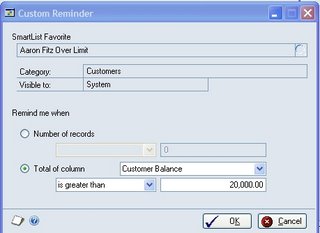
4) Select Total of Columns, pick the column and how you want to total
5) You can set reminders based on the number of records or the total of the column
6) Click OK
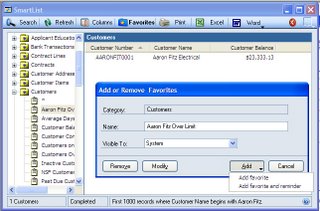
1) Setup your Smartlist
2) Pick Favorites and name the Favorite.
3) Click Add and select Add Favorite and Reminder
4) Select Total of Columns, pick the column and how you want to total
5) You can set reminders based on the number of records or the total of the column
6) Click OK
- You can setup a reminder for an existing Smartlist by going to Tools >> Setup >> User Preferences >> Reminders button
- When you delete the Favorite, it deletes the reminder
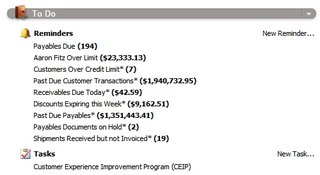
- Reminders appear on the Home Page
Subscribe to:
Posts (Atom)